Synchronous vs. Asynchronous Digital Classrooms: Which Setup Should Schools Choose?
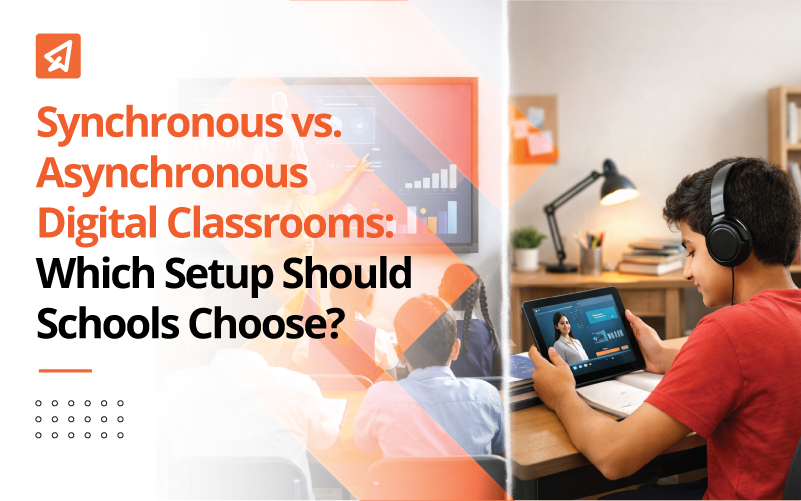
The way classrooms operate has changed a lot in recent years. Schools are no longer just offering “online classes.” They are creating smarter, more flexible learning environments. With the rise of digital tools and smart classrooms, the focus is shifting from just what students learn to how that learning is delivered. Should learning happen live, where teachers and students interact in real time? Or should it be self-paced, giving students more control over when and how they study? These two formats, synchronous (live and interactive) and asynchronous (flexible and recorded), each have their strengths. In this blog, we’ll walk you through both options and help you understand which one might be a better fit for your school or classroom.
What Is a Synchronous Digital Classroom?
A synchronous digital classroom is an online learning space where teaching and learning happen at the same time in real time.

Meaning and Key Characteristics
- Fixed Schedule: You and your students meet online at set times, just like a traditional classroom.
- Live Teacher-Student Interaction: Everyone is present together through video calls or chat, allowing direct engagement.
- Immediate Feedback: You can answer questions, clear doubts, and guide students instantly during the session.
What Is an Asynchronous Digital Classroom?
An Asynchronous Digital Classroom is an online learning setup where students access lessons and complete tasks at different times based on their own schedule.
Meaning & Key Characteristics
- Learn Anytime, Anywhere: Students can access learning materials when it suits them, without being online at the same time as the teacher.
- Student-Controlled Pace: Learners can move through content at a speed that matches their own understanding and comfort level.
- Content-First Approach: Lessons are delivered through videos, readings, and assignments that students complete independently before engaging in discussions or assessments.
Synchronous vs. Asynchronous Digital Classrooms: Key Differences
| Comparison Point | Synchronous Digital Classroom | Asynchronous Digital Classroom |
|---|---|---|
| Learning Pace | All students move through the lesson together in real time. The teacher controls the speed of instruction. | Students learn at their own pace. They can pause, rewind, or revisit content whenever needed. |
| Teacher Interaction | High level of live interaction. Teachers can explain concepts, answer questions instantly, and guide discussions during class time. | Limited direct interaction. Teachers usually provide recorded lessons, notes, and written feedback instead of live explanations. |
| Student Engagement | Engagement happens through live discussions, polls, chats, and question sessions. Students feel more connected to the teacher. | Engagement depends on self-motivation. Students interact mainly through assignments, discussion boards, or comments. |
| Flexibility | Less flexible since students must log in at a fixed time. Attendance depends on availability and internet stability. | More flexible. Students can study anytime and from anywhere as long as they meet deadlines. |
| Ideal Use Cases | Works well for concept-heavy lessons, doubt-solving sessions, revision classes, and real-time assessments. | Suitable for recorded lectures, revision material, homework support, project-based learning, and self-study modules. |
| Infrastructure Dependency | Requires stable internet, live meeting platforms, microphones, cameras, and proper classroom tech setup. | Lower dependency on live tools. Students only need access to recorded content, learning platforms, and basic internet. |
| Lesson Planning | Teachers need to plan structured sessions with time slots for explanation, interaction, and activities. | Teachers focus on creating clear content, instructions, and assignments that students can follow independently. |
| Assessment Style | Teachers can conduct live quizzes, oral questioning, and real-time feedback sessions. | Assessments are usually assignment-based, quiz-based, or project-based with delayed feedback. |
| Student Discipline and Focus | Easier to monitor attendance and participation since students are present live. | Requires strong self-discipline from students as there is no fixed class timing. |
| Teacher Workload | Requires preparation for live delivery and classroom management during sessions. | Requires effort in content creation but less pressure of managing live classes daily. |
| Accessibility for Students | Can be difficult for students with poor internet connectivity or shared devices at home. | More accessible for students with limited device access since they can study at flexible times. |
| Classroom Environment | Feels closer to a traditional classroom experience, just in digital form. | Feels more like independent learning with teacher guidance through content and instructions. |
Pros of Synchronous Digital Classrooms
Synchronous learning happens in real-time, where teachers and students interact live through video calls or virtual classrooms. Here’s what makes it work well in many situations:
-
Stronger Teacher-Student Connection
Live classes allow you to build a real-time connection with your students. You can read their expressions, respond to their questions immediately, and create a learning space that feels more personal. This back-and-forth interaction makes students feel supported and encourages them to stay more involved.
-
Higher Accountability
When students log in for live sessions, it’s easier to track attendance, participation, and engagement. They know you’re watching, which usually keeps them more focused. It also allows you to check understanding on the spot and give instant feedback, which is much harder to do with recorded or asynchronous content.
-
Better for Discussions, Language Learning, and Concept Clarity
Subjects that need quick interaction or speaking and listening practice benefit the most from live formats. You can hold group discussions, role plays, or Q&A sessions that help learners practise language or clear up tricky ideas in real-time. It also lets you adjust your pace based on students’ reactions and questions.
Cons of Synchronous Digital Classrooms
Despite its benefits, synchronous learning has a few drawbacks that can affect accessibility and flexibility. Here are some common challenges:
-
Rigid Schedules
Not all students can attend at the same time, especially if they’re sharing devices or facing home-related challenges. Fixed class timings might clash with their family responsibilities or other commitments, making it tough for them to keep up.
-
Internet Dependency
Live classes rely heavily on stable internet. For students in remote or low-connectivity areas, this can be a big problem. A weak connection can lead to missed explanations, broken communication, or repeated disruptions, which affects learning quality.
-
Can Overwhelm Some Learners
Being on camera, keeping up with fast-paced discussions, or facing pressure to respond quickly can stress out certain students. Not everyone feels comfortable speaking up in a live setting. Some might struggle with anxiety or simply need more time to process information.
Pros of Asynchronous Digital Classrooms
-
High Flexibility
Asynchronous learning gives students the freedom to learn at their own pace and on their own schedule. This is especially helpful for students who juggle responsibilities at home or have limited access to devices. It removes the pressure of being online at a fixed time and allows learners to revisit materials when it suits them best.
-
Supports Revision and Exam Prep
Since lessons and materials are recorded or posted online, students can go back to review them as many times as needed. This is great for exam preparation or revisiting difficult topics. Students can pause, rewind, or rewatch lessons, making their learning more thorough and self-paced.
-
Works Well for Diverse Learning Speeds
Not all students learn at the same speed. Some need extra time to understand concepts, while others prefer to move quickly. Asynchronous classrooms respect these differences by letting students take control of how fast or slow they go through the content. This reduces frustration and supports independent learning.
Cons of Asynchronous Digital Classrooms
While flexible, asynchronous learning also comes with its own limitations that can affect student engagement and outcomes.
-
Limited Real-Time Interaction
Since students and teachers are not online together, real-time discussions, instant doubt clearing, or spontaneous explanations are missing. This can make students feel less connected to the class and may affect engagement levels.
-
Requires Self-Discipline
Without a fixed schedule, students need to manage their own time and stay motivated. Not all learners are ready for this kind of independence. Some might delay watching lessons or skip assignments, which affects their progress.
-
Risk of Learner Isolation If Used Alone
If asynchronous learning is not combined with live support, students may feel disconnected. They miss out on peer conversations, classroom energy, and teacher encouragement. Over time, this can affect confidence and reduce participation.
Which Digital Classroom Setup Should Schools Choose?
-
Based on Student Learning Needs
Not all students learn the same way. That’s why your setup should match their style.
- If your students prefer structure, live interaction, and real-time feedback, then a synchronous setup works better. These students do well when there’s a clear timetable, direct teacher guidance, and scheduled discussions.
- If your students are more self-driven and like working at their own pace, then asynchronous learning (like recorded lessons and independent tasks) will suit them. These learners enjoy flexibility and tend to take charge of their own progress.
-
Based on Subject Type
Different subjects demand different teaching approaches.
- For concept-heavy subjects like mathematics or science, asynchronous models can help. Students can pause, replay, and review complex explanations in their own time. This also gives them space to reflect and practice.
- For skill-based or discussion-focused subjects like languages, arts, or social studies, a synchronous format is better. Live discussions, peer interaction, and real-time demonstrations help students engage and learn more deeply.
-
Based on School Infrastructure
Even the best teaching plan needs solid tech support to succeed.
- If your school has strong internet bandwidth, adequate devices, and teachers trained in digital tools, you have the flexibility to offer synchronous or blended formats.
- If bandwidth is limited or devices are shared at home, asynchronous learning helps reduce pressure. It allows students to access learning materials without needing to be online at a specific time.
- Also consider how comfortable your teachers are with using digital tools. Training and support go a long way in making any setup successful.
Why a Blended (Hybrid) Digital Classroom Works Best for Schools
When it comes to digital learning, schools often feel the pressure to pick one path. But choosing only synchronous or only asynchronous doesn’t always work in real classrooms. A blended setup that combines both is often the smartest choice. Here’s why.
Why Schools Shouldn’t Stick to Just One Format
Solely choosing synchronous or asynchronous learning has its drawbacks.
- If you go with only synchronous learning (live online classes), it may be tough for students who have limited internet access or shared devices at home. It also puts pressure on both students and teachers to stay available at specific times.
- On the other hand, relying only on asynchronous learning (recorded lessons, independent tasks) can make students feel disconnected. Without live interaction, they might lose motivation or miss the chance to ask questions in the moment.
Both formats have strengths and limits. Using just one may not support all learners equally.
A blended classroom takes the best parts of both approaches and puts them to use.
- Asynchronous methods give students the flexibility to learn at their own pace. They can watch lesson videos, revise tricky topics, and complete assessments without time pressure.
- Synchronous sessions bring in the human connection. Live classes help with doubt-solving, active discussions, and applying what was learned earlier. Students can interact with peers, ask questions, and build confidence in a shared learning space.
This balance creates more opportunities for deeper understanding, better engagement, and flexible learning that adjusts to every student’s pace and style.
A Simple Hybrid Model for Indian Classrooms
Here’s how you can structure a blended digital classroom that works well in Indian schools, even with mixed internet access and busy timetables:
Use Asynchronous Methods For:
- Concept Delivery: Share recorded lesson videos or self-learning modules through your school’s app or platform. This way, students can pause, rewind, and learn at their own pace.
- Revisions: Send worksheets, explainer PDFs, or recorded summaries so students can revise before tests or discussions.
- Assessments: Conduct short quizzes or written tasks that students can complete and submit online. These help you track progress without needing a live class.
Use Synchronous Sessions For:
- Discussions: Hold live classes to talk about what was covered in the asynchronous lessons. This lets students ask questions and share ideas.
- Doubt Solving: Dedicate one class a week just to clear doubts from the videos or worksheets. It’s also a good time to check who’s falling behind.
- Application-Based Learning: Use group activities, problem-solving sessions, or live demonstrations to help students apply what they’ve learned.
How Extramarks Helps Schools Run a Blended Digital Classroom
Here’s how Extramarks helps schools in running a blended digital classroom:
-
One Platform for Everyone
With Extramarks, you don’t have to juggle multiple apps for content, classes, assessments, or reports. Everything comes in one place. Teachers use the Smart Class for in-school lessons, students continue learning through the Learning App at home, and administrators track progress via the Assessment Centre. This unified setup keeps everyone on the same page and avoids the confusion that comes from using different tools.
You can plan lessons, take attendance, schedule assessments, share learning material, and track outcomes across all grades and campuses using one dashboard.
-
Recorded Content Supports Real Teaching
In a blended classroom, online content should support what happens in class instead of replacing it. With Smart Class Plus, teachers can record their live lessons and make them available to students. This helps students catch up on missed classes, revisit tough topics, or revise at their own pace.
Since the recorded sessions sit alongside 3D visual content, quizzes, and revision modules, students stay within the same learning journey. There’s no need to search for resources on different platforms.
Example:
If a student finds a physics derivation tricky, they can rewatch the teacher’s explanation, explore visual animations of the concept, and take a quick quiz on the same topic, all from one app. -
Making the Most of Live Teaching
Extramarks makes live lessons more interactive, whether you’re teaching in person or online. Smart Class tools like interactive boards, live quizzes, random student selection, and collaborative activities help teachers keep students engaged. These classroom features are built to match NEP-style teaching practices that promote participation and critical thinking.
In case of hybrid or remote learning, the same system switches smoothly to virtual classes. Teachers can take attendance, assign work, and track performance from one platform. You don’t need to worry about losing data or using a different app for online classes.
-
Data That Actually Helps You Teach Better
One of the strongest benefits of a digital classroom is data. But data only matters if it’s clear and actionable. Extramarks combines usage data from Smart Class, student activity from the Learning App, and scores from the Assessment Centre to give a complete picture.
You get dashboards that show performance by topic and class sections. AI alerts help identify students who might be falling behind so teachers can step in early. You can also track trends across classrooms or school branches and use this data to guide teaching strategies and NEP reporting.
-
Teacher Dashboards Built for Everyday Use
The teacher dashboard is where it all comes together. From planning lessons to checking homework, it’s designed to help you manage your day without any extra load. You can:
- Access syllabus-linked teaching content
- Plan and schedule classes
- Track student progress
- Filter performance by student, topic, or class
- Spot students who need extra help or those ready for advanced tasks
On top of that, Extramarks Academy offers upskilling courses so your staff can learn how to design digital lessons, use analytics, and get comfortable with blended models.
Why It Works
Blended learning only works if everything is connected and easy to use. Extramarks makes that possible. It brings together all parts of teaching, learning, and evaluation into one platform that grows with your school. Whether your classes are offline, online, or somewhere in between, Extramarks keeps the learning journey smooth and student-focused.
Closing Thoughts
Choosing between synchronous and asynchronous digital classrooms is not about picking one winner. It is about understanding your students, your subjects, and your school’s infrastructure. Live sessions bring connection and real-time support, while self-paced learning adds flexibility and revision support. When you combine both in a blended model, you create a classroom that is practical, inclusive, and ready for today’s learning needs. Schools that focus on mixing both approaches thoughtfully are better prepared to meet different learning needs and make digital classrooms truly work.
Reviewed by

Prachi Singh | VP - Academics
Prachi Singh is a highly accomplished educationist with over 16 years of experience in the EdTech industry. Currently, she plays a pivotal role at Extramarks, leading content strategy and curriculum development initiatives that shape the future of education...read more.

Last Updated on February 20, 2026