What is a Virtual Classroom? All You Need to Know About Teaching Virtually
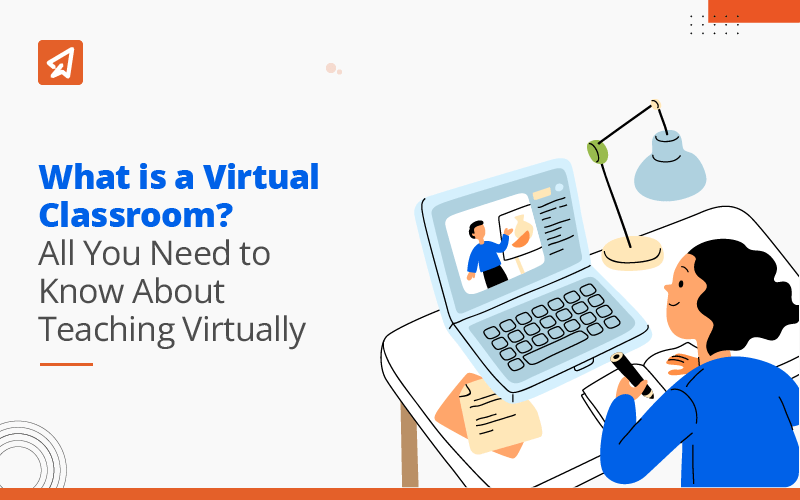
Virtual classrooms are transforming the way education is delivered, allowing students to learn and teachers to teach online in real time. They make it possible for learners to access lessons from anywhere, breaking the limits of traditional classrooms. With features like live video, interactive tools, and assessments, virtual classrooms provide a flexible and engaging learning environment. In this article, we will explore the key features, advantages, types, and steps to set up a virtual classroom effectively.
What is a Virtual Classroom?
A virtual classroom is a digital learning environment that enables real-time, instructor-led teaching and student interaction through the internet, using tools such as live video conferencing, screen sharing, interactive whiteboards, chat, assessments, and learning analytics—replicating and enhancing the experience of a physical classroom without geographic limitations.
What are the Features of Virtual Classroom?
A virtual classroom is supported by a set of core features that form its digital structure. Below are the key features commonly found in virtual classroom environments.
1. Video Conferencing Interface
The video conferencing interface forms the foundation of a virtual classroom by enabling live, face-to-face interaction between teachers and students. It allows instructors to explain concepts in real time while observing student responses through visual cues. This feature helps maintain classroom presence, engagement, and instructor-led learning. It also supports large and small class sizes with stable communication.
2. Screen and Content Sharing
Screen and content sharing allows teachers to present slides, documents, videos, and applications during live virtual classes. This feature enhances concept clarity by enabling real-time demonstrations and guided explanations. Students can follow along visually, which improves comprehension and reduces learning gaps. It is especially useful for technical subjects and visually-based instruction.
3. Interactive Whiteboard
The interactive whiteboard enables instructors to write, draw, and annotate content live during teaching sessions. It supports step-by-step explanations, problem-solving, and visual representation of complex ideas. Teachers can illustrate concepts dynamically, making lessons more engaging and easier to understand. This feature closely replicates the experience of a physical classroom board.
4. Text Chat / Messaging
Text chat allows students to communicate with instructors and peers without interrupting the live session. It provides a space for asking questions, sharing thoughts, and responding to prompts in real time. This feature encourages participation from students who may be hesitant to speak aloud. It also helps teachers address doubts efficiently during or after the session.
5. Breakout Rooms
Breakout rooms divide students into smaller groups for focused discussions, collaborative tasks, or peer learning activities. This feature promotes active participation and teamwork within the virtual classroom. Teachers can monitor group progress and provide guidance as needed. Breakout rooms are particularly effective for discussions, projects, and problem-solving exercises.
6. Assessments, Polls, and Quizzes
Assessments, polls, and quizzes help instructors evaluate student understanding during or after virtual classes. These tools provide immediate feedback, allowing teachers to identify learning gaps quickly. Interactive assessments also keep students engaged and attentive throughout the session. This feature supports continuous evaluation rather than relying only on final exams.
7. Attendance and Participation Tracking
Attendance and participation tracking automatically records student presence and engagement levels in virtual classes. It helps educators monitor consistency and identify students who may need additional support. This feature ensures accountability and provides valuable data for academic reporting. It also simplifies administrative tasks for teachers and institutions.
8. Hand-Raising Feature
The hand-raising feature allows students to request attention or ask questions in an organised manner. It maintains discipline during live sessions by preventing interruptions. Teachers can address queries sequentially, ensuring equal participation opportunities. This feature supports structured and respectful communication in virtual classrooms.
9. Session Recording
Session recording allows virtual classes to be saved and accessed later for revision or missed lessons. Students can replay sessions to reinforce understanding and improve retention. This feature supports self-paced learning and accommodates different learning speeds. It is particularly beneficial for exam preparation and concept revision.
What are the Advantages of Virtual Classroom?
Virtual classrooms offer a modern approach to learning, combining flexibility with real-time instruction. The benefits listed below explain why they are increasingly popular in education.
1. Flexibility & Convenience
Virtual classrooms allow learning to take place without dependence on a fixed location or physical setup. Students can attend sessions using their preferred devices, making it easier to balance academics with other responsibilities.
2. Enhanced Accessibility
Virtual classrooms make education available to learners who may face location, mobility, or infrastructure constraints. They help bridge educational gaps by extending learning opportunities to a wider audience.
3. Cost and Resource Efficiency
By reducing the need for physical classrooms, travel, and printed materials, virtual classrooms lower operational costs. Institutions can optimize resources while maintaining consistent academic delivery.
4. Improved Engagement
Interactive session formats encourage students to stay attentive and involved during live classes. Continuous interaction helps sustain focus and promotes active participation throughout the learning process.
5. Global Reach
Virtual classrooms enable participation from learners and educators across different regions. This expands learning exposure and allows institutions to reach a broader academic community.
6. Instant Feedback
Instructors can respond to student queries and performance indicators during live sessions. Timely feedback helps learners clarify concepts and stay aligned with lesson objectives.
What are the Types of Virtual Classroom?
Virtual classrooms are designed in different formats to suit various teaching and learning needs. The following are the main types of virtual classrooms:
1. Synchronous Virtual Classroom
A synchronous virtual classroom involves live, real-time interaction between instructors and students. Lessons are conducted through video conferencing, live chat, or interactive tools, allowing students to ask questions and receive immediate feedback. This format closely resembles a traditional classroom and encourages engagement, participation, and collaborative learning.
Also read the detailed article on Synchronous Learning
2. Asynchronous Virtual Classroom
In an asynchronous virtual classroom, students access learning materials, lectures, and assignments on their own schedule. Interaction happens through discussion boards, emails, or recorded feedback rather than live sessions. This type is ideal for self-paced learning, accommodating learners with different time zones, schedules, or learning speeds.
Also Read: What Is Asynchronous Learning
3. Hybrid/Blended Virtual Classroom
A hybrid or blended virtual classroom combines synchronous and asynchronous elements. Students attend some live sessions for interaction and collaboration while also accessing recorded lessons and materials for flexible learning. This approach provides a balance between real-time engagement and self-paced study, making learning more adaptable and personalised.
Read in detail article on Blended learning
Virtual Classrooms vs. Hybrid Classrooms vs. Traditional Classrooms
Different classroom models offer varied experiences for teaching and learning. The table below compares virtual, hybrid, and traditional classrooms to help understand their key differences.
| Feature | Virtual Classroom | Hybrid/Blended Classroom | Traditional Classroom |
| Mode of Learning | Fully online; teaching and learning happen over the internet | Combination of online (virtual) and in-person sessions | Fully in-person; teaching and learning happen in a physical classroom |
| Interaction | Real-time online interaction via video, chat, and discussion tools | Interaction both online and face-to-face; flexible depending on session type | Direct, face-to-face interaction between the teacher and students |
| Flexibility | High flexibility; students can attend from anywhere | Moderate flexibility; some sessions require physical presence | Low flexibility; students must be physically present in class |
| Accessibility | Accessible to students across different locations | Partially accessible online; physical presence is still needed for some activities | Limited to students who can attend in person |
| Learning Tools | Digital tools like video conferencing, whiteboards, polls, and quizzes | Mix of digital tools and traditional classroom resources | Physical tools like blackboards, textbooks, projectors, and handouts |
| Cost | Low to moderate; reduces travel, infrastructure, and printed material costs | Moderate; combines costs of online tools and physical classroom setup | High; requires classroom space, furniture, printed materials, and commuting costs |
| Student Engagement | Can be high with interactive tools, but requires self-motivation | Balanced; engagement varies between online and in-person sessions | High during class hours, but limited outside the classroom |
| Pacing | Can support self-paced learning through recorded sessions | Mixed pacing; online materials allow self-study, live sessions follow the schedule | Fixed pacing; lessons progress according to the teacher’s schedule |
| Teacher Role | Facilitator of online learning; monitors participation and progress digitally | Combines online facilitation and in-person instruction | Direct instructor; teaches, monitors, and evaluates physically |
Read our detailed article on Digital Classroom
How to Create a Virtual Classroom
Creating a virtual classroom requires careful planning, the right tools, and an organized structure to deliver effective online learning. When implemented correctly, it allows educators to conduct engaging, interactive, and structured lessons for students anytime, anywhere. Here’s a step-by-step guide to set up your virtual classroom.
1. Choose a Virtual Classroom Platform
Selecting the right platform is the first and most crucial step. Choose a platform that supports live video, audio, chat, screen sharing, and interactive tools. Popular options include Zoom, Google Meet, Microsoft Teams, or specialised EdTech platforms such as Extramarks, which are designed specifically for education and provide additional features like integrated learning content and analytics. Ensure the platform can handle your class size and meets your technical requirements.
2. Set Up the Learning Environment
Organize the virtual classroom by structuring modules, lessons, and resources for easy access. Upload presentations, PDFs, videos, and interactive content that students can engage with during and after sessions. A well-structured environment ensures smooth flow, reduces confusion, and supports better learning outcomes.
3. Schedule Classes and Notify Students
Plan the timing of live sessions, assignment deadlines, and assessment schedules in advance. Share the schedule and reminders with students via emails, notifications, or the platform’s built-in calendar. Clear scheduling helps learners manage their time, improves attendance, and ensures they are prepared for each session.
4. Enable Interactive Tools
Activate features such as chat, polls, quizzes, whiteboards, and breakout rooms to foster engagement. These tools encourage active participation, allow students to ask questions, collaborate on group tasks, and solve problems in real time. Interactive tools make lessons more dynamic and maintain student attention throughout the session.
5. Conduct Live Sessions
Deliver the lesson using video, audio, and screen sharing while keeping students engaged. Begin with an introduction, explain key concepts, and encourage questions. Monitor participation, provide feedback, and use interactive tools to ensure students are actively learning. Structuring sessions like a physical classroom enhances clarity and understanding.
6. Record and Share Sessions
Record your live sessions so students can review lessons later or catch up on missed classes. Sharing recorded content supports self-paced learning and reinforces concepts. This feature is especially useful for revision, exam preparation, or students who need more time to grasp topics.
7. Track Performance and Collect Feedback
Use attendance data, quiz results, and participation metrics to monitor student progress. Collect feedback from students about lesson clarity, pacing, and tools used. Analyzing this data helps teachers adjust their teaching strategies, address learning gaps, and improve the overall effectiveness of the virtual classroom.
Bridge the gap between virtual and physical learning with these innovative Smart Classroom Activities.
Boost Student Engagement With Curated Activities for Your Classroom!
✓ 60+ activities across 6 different engagement categories
✓ Designed for grades 3 to 12 and easy to plug into any lesson plan
✓ Comes with printable cards and step-by-step instructions
How Extramarks Enhances the Virtual Classroom Experience
The Extramarks teaching app is a specialized EdTech platform that brings all the essential features of a virtual classroom into one seamless digital environment. It supports live interactive sessions, assessments, polls, and quizzes, making it easier for teachers to conduct structured lessons online.
With Extramarks, educators can share learning resources, record sessions, and track student performance effortlessly, ensuring continuity and consistency in learning. Its intuitive interface allows students to attend classes, submit assignments, and collaborate from any device, providing flexibility and accessibility.
Start Your Virtual Classroom Today
Bring interactive, engaging, and structured online learning to your students with the Extramarks online teaching app.
Download the Extramarks Online Teacher App
Conclusion
Virtual classrooms have become an important part of modern education, making learning more flexible, interactive, and accessible to students across different locations. They provide tools for teachers to conduct lessons, track progress, and engage students in real time. By understanding the features, benefits, and types of virtual classrooms, educators can create effective online learning experiences that help students stay focused, motivated, and supported in their learning journey.
Reviewed by

Priya Kapoor | VP - Academics
Priya Kapoor is an accomplished education professional with over 18 years of experience across diverse fields, including eLearning, digital and print publishing, instructional design, and content strategy. As the VP – Academics at Extramarks, she leads academic teams in creating tailored educational solutions, ensuring alignment with varied curricula across national and international platforms...read more.

Last Updated on January 13, 2026