
What Is a Student Management System for Schools? Complete Guide (2026)
What Is a Student Management System and How Does It Help Schools Manage Students Better
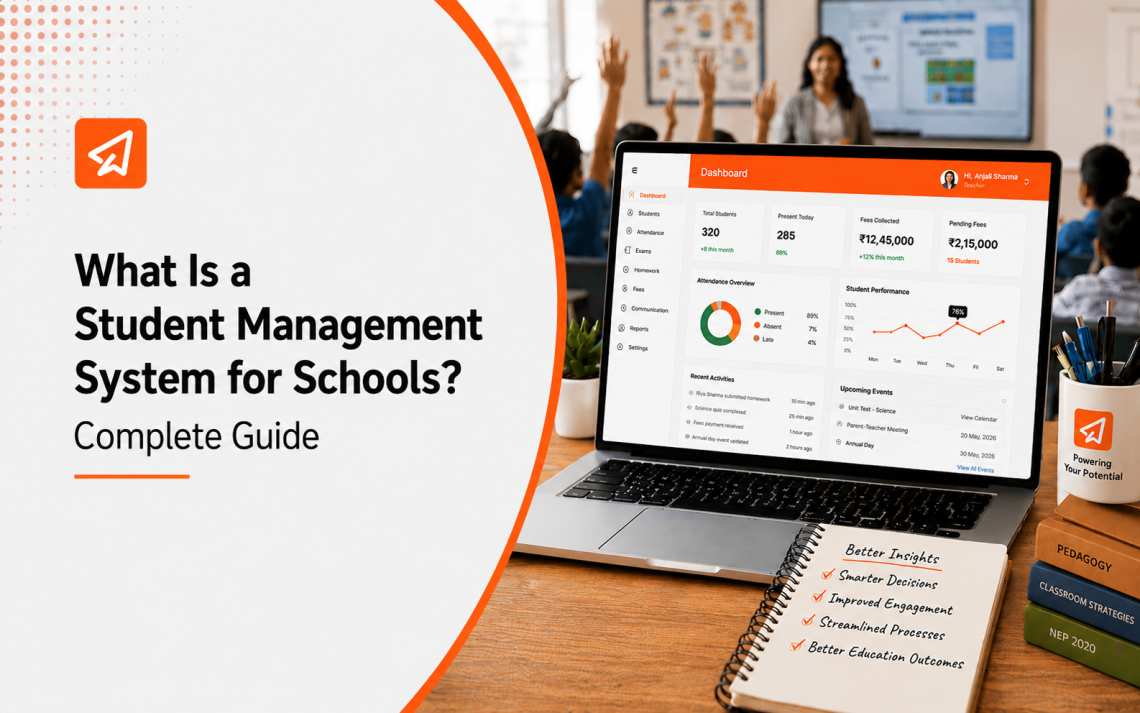
A student management system is a digital platform that centralises everything related to a student’s journey inside a school. It covers admissions, attendance, academic records, fee tracking, assessments and parent communication in one place. Schools that run a student management system replace scattered registers, manual data entry and delayed reports with real-time visibility into every student’s progress and status.
India operates one of the world’s largest school systems, supported by over 1.01 crore teachers. NEP 2020 has added compliance requirements on top of that daily load. Competency tracking, 50-hour CPD reporting, continuous assessments and UDISE+ submissions now sit alongside routine attendance and fee management.
That pressure is pushing schools toward digital infrastructure like student management systems faster than any previous reform cycle did. The global school management system market is growing from $22.3 billion in 2025 to $25.83 billion in 2026 at a CAGR of 15.8%. And schools in India are driving a significant share of that shift.

This guide covers what a student management system is, how it differs from a school management system, its key features and what to look for before choosing one in 2026.
Key Takeaways
- A student management system centralises student data across admissions, attendance, academics, fees and communication
- It is different from a school management system, which covers broader institutional operations
- Educational institutions are adopting cloud-based systems for scalability and remote access
- Real-time dashboards give principals and teachers actionable data without waiting for manual reports
- NEP 2020 requires schools to track competency-based outcomes, which a student data management system enables directly
- Parent portals and communication tools reduce calls to the school office and keep families informed at every stage
- 21,000+ schools trust Extramarks for end-to-end digital school solutions
In This Guide
- What Is a Student Management System?
- How Is It Different from a School Management System?
- What Are the Key Features of a Student Management System?
- What Problems Does Manual Student Data Management Create?
- What Are the Benefits for Schools, Teachers and Parents?
- How Does a Student Management System Support NEP 2020?
- What Should Schools Look for When Choosing One?
- How Extramarks Supports Student Management in Schools
- Frequently Asked Questions
What Is a Student Management System?
A student management system is a software that manages all student-related data and processes in one centralised platform. It gives schools a single source of truth for every student, from the day they enrol to the day they graduate.
Everything sits in one place: admission records, daily attendance, subject-wise academic performance, fee payment status, health records, timetables and parent communication. Staff access what they need without hunting through physical files or multiple spreadsheets.
A student information management system goes beyond storage. It generates reports, flags issues like falling attendance or pending fees and sends automated updates to parents. Principals get a live view of school operations. Teachers get student-level data they can act on. Parents get updates without needing to call the school.
How Is It Different from a School Management System?
Schools often use these two terms together, but they cover different ground.

| Feature | Student Management System | School Management System |
| Primary focus | Individual student data and progress | Overall school operations |
| Core functions | Attendance, academics, fees, parent communication | HR, finance, infrastructure, administration |
| Primary users | Teachers, parents, admission staff | Principals, administrators, accounts team |
| Data type | Student-level, real-time | Institutional, operational |
| NEP 2020 alignment | Competency tracking, learning outcomes | Compliance, reporting, staffing |
A school management system keeps the institution running. A student management system keeps each student’s journey on track. The two work best when connected. When student data flows into the broader school system, principals get a complete picture without switching between platforms.
Schools looking at the full picture should also review ERP vs traditional school management systems before making a decision.
What Are the Key Features of a Student Management System?
The right school student management software covers every stage of the student lifecycle. Here are the features that matter most:
- Centralised student profiles: Every student has one digital record. It includes personal details, admission data, attendance history, academic performance, fee status and parent contact information. Staff search by name, class or roll number and get everything in seconds.
- Attendance tracking: Teachers mark attendance digitally. The system generates daily, weekly and monthly reports automatically. Parents receive instant alerts when a child is absent. No physical registers, no end-of-term data entry.
- Academic record management: Subject-wise marks, progress reports, exam schedules and transcripts are stored and updated in real time. Teachers access performance data by student, class or subject to identify where support is needed before it becomes a problem.
- Fee management: The system tracks fee dues, payments and outstanding balances for every student. Automated reminders go to parents before due dates. Fee collection reports are available instantly for any time period. No manual reconciliation.
- Parent communication: Parents receive updates on attendance, academic performance, fee dues and school announcements through the platform. They access their child’s records anytime without calling the school. This is where a strong parent-school communication app makes the biggest difference.
- Assessment and progress tracking: Teachers build and assign assessments inside the system. Results feed directly into student records. Principals and teachers see performance trends across classes and subjects without waiting for term-end reports. A student assessment management platform maps each assessment to learning outcomes, giving teachers data they can use immediately.
- Student record management system: All documents, including transfer certificates, health records and exam results, are stored digitally with role-based access. Audits take minutes instead of days.
- Timetable management: Class schedules, teacher assignments and room allocations are managed in one place. Changes update automatically across all connected views.
What Problems Does Manual Student Data Management Create?
Some Indian schools still manage student records across registers, Excel files and physical folders. The problems compound every term.
- Data scattered across systems: Attendance sits in one register, fees in another, exam marks in a third. No teacher or principal can see a complete picture of one student without pulling from multiple sources.
- Delayed reports: Term-end reports take days to compile manually. By the time a principal sees attendance trends or fee default rates, the window to act has closed.
- Errors in student records: Manual data entry means names get misspelled, marks get entered against the wrong student and fee payments go unrecorded. Correcting these takes more staff time than the original entry.
- Parent communication gaps: Parents find out about issues at PTMs or when problems are already serious. A school without automated alerts relies on teachers remembering to call, which does not scale across 40 students per class.
- Tracking student progress is impossible without data: Teachers who do not have subject-level performance data across terms cannot identify which students are falling behind or why.
- Student assessment data stays siloed: When assessment results live in one system and academic records in another, teachers cannot connect performance patterns to intervention strategies.
What Are the Benefits of a Student Management System?
| Stakeholder | Benefit |
| Principals | Real-time dashboard across attendance, academics, fees and operations |
| Teachers | Student-level data available instantly, no manual report preparation |
| Admission staff | Student profiles created at enrolment, no duplicate data entry later |
| Parents | Live access to their child’s attendance, marks, fees and school updates |
| Accounts team | Fee collection reports generated automatically, no manual reconciliation |
For teachers, the shift is significant. Instead of spending time on registers and manual reports, they spend it on teaching. When a student’s attendance drops below a set threshold, the system flags it. When a fee remains unpaid, the parent gets a reminder. Teachers and staff focus on exceptions.
For parents, a student management system changes the quality of their connection to the school. They do not wait for PTMs to find out how their child is doing. They check attendance and marks on their phone. AI-powered systems can enable responses to parent enquiries faster. That speed builds trust before any classroom issue becomes a complaint.
How Does a Student Management System Support NEP 2020?
NEP 2020 shifts assessment from year-end exams to continuous, competency-based evaluation. That shift requires data infrastructure that most schools do not have with manual systems.
A student data management system makes NEP compliance operational:
- Continuous assessment tracking: The policy requires schools to track student progress across multiple competencies throughout the year. A digital system logs every assessment result against the relevant learning outcome automatically
- 50-hour CPD reporting: CBSE-affiliated schools must document 50 hours of annual teacher professional development. A student management system tracks and reports this without manual record-keeping
- Competency-based progress reports: NEP replaces marks-only report cards with holistic progress reports. Schools need software that generates these at scale across every student and every stage
- UDISE+ data submission: Schools report student-level data to UDISE+ annually. A student record management system generates the required data exports accurately and on time
Schools without digital student data infrastructure will struggle to meet these requirements as NEP timelines tighten. Understanding educational ERP system features helps schools see where student management fits within the broader compliance picture.
What Should Schools Look for When Choosing a Student Management System?
Every school’s needs are different. Here is what to evaluate before choosing school student management software:
- Ease of use: Teachers and parents need to use the system daily. A complex interface reduces adoption. Look for clean dashboards and minimal training requirements
- Mobile access: Parents and teachers access data on phones. A platform without a strong mobile experience will not be used consistently
- Integration with school ERP: Student data should flow into fee management, attendance and academic systems without manual transfer. Disconnected tools create duplicate work
- Real-time reporting: Principals need live dashboards. Check whether the system updates data in real time or requires manual refresh
- Assessment and competency mapping: NEP 2020 requires competency-based evaluation. The system should map assessment results to learning outcomes
- Parent communication tools: Automated alerts for attendance, fees and academic updates reduce staff workload and improve parent satisfaction
- Data security: Student records are sensitive. Cloud-based platforms with role-based access and encrypted storage protect against data loss and unauthorised access
- Scalability: A system that works for 300 students must handle 1,000 without performance issues as the school grows
Always ask for a live demo before deciding. Test it against your actual school scenarios.
How Extramarks Supports Student Management in Schools
Extramarks operates across India, South Africa, the Middle East and beyond. Over 18 years, it has built solutions that work for 21,000+ schools across very different school systems and structures.
Student Data Management
- Every student has one connected profile covering attendance, academics, fee status and parent contact, updated in real time
- Data flows automatically across functions. No re-entry, no missing records, no end-of-term scramble
- Cloud-based access means principals and teachers see live data from any device, anywhere
Student Assessment Management
- The student assessment management platform maps every test and quiz to NEP-aligned learning outcomes
- AI-powered analytics flag concept-level gaps before they show up in term results
- Reports reach teachers, administrators and parents automatically, in formats each stakeholder can act on
Parent Communication
- The parent-school communication app gives parents live access to attendance, marks, fee dues and school updates
- Automated alerts go out for absences, pending fees and upcoming assessments
- Parents stay informed without calling the school. Staff stop answering the same questions repeatedly
LMS for Universities
Extramarks Forte is the dedicated LMS for universities covering content delivery, assessment and student progress tracking at scale

Your students’ data is already there.
The question is whether your school can see it, act on it and share it in time to make a difference. See how Extramarks makes that possible.
Frequently Asked Questions
1. Can a student management system work for schools with multiple branches?
Yes. A centralised platform gives school group leadership a consolidated view across all campuses. Each branch manages its own student data while leadership sees the full picture in one dashboard.
2. How is a student management system different from an LMS?
A student management system handles administrative data: attendance, fees, records and parent communication. A learning management system handles content delivery and online learning. The two work best when integrated, so academic and administrative data stay connected.
3. Does a student management system help with UDISE+ reporting?
Yes. A student record management system stores student-level data in the formats required for UDISE+ submission. Schools generate accurate reports without manually compiling data from multiple sources.
4. How quickly can a school get a student management system running?
Most cloud-based platforms go live within a few days of configuration. The setup involves uploading existing student data, setting access roles and customising fields. Schools typically complete the transition before the next academic term begins.
5. What happens to historical student data when a school switches systems
Data migration transfers existing student records into the new platform. A reliable vendor provides support through this process to ensure no records are lost or corrupted during the transition.

Last Updated on May 19, 2026