
Education Management Information System (EMIS): A Practical Guide for Indian Schools
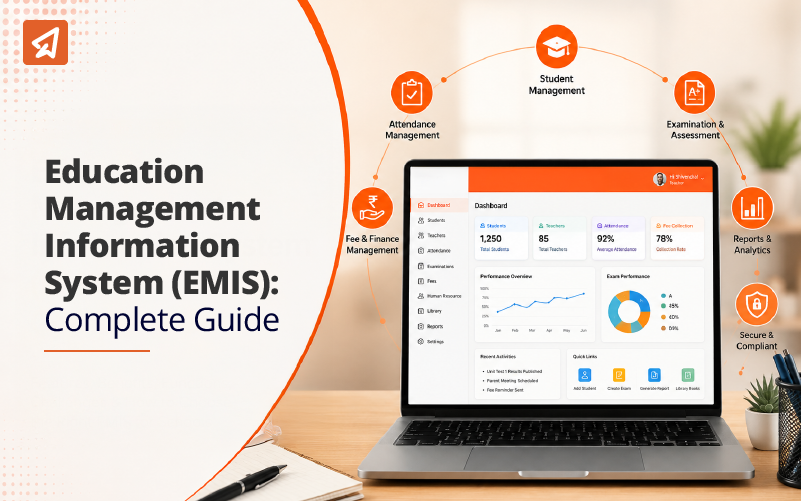
Every Indian school already runs an EMIS. Most schools just do it by hand.
The attendance register is data. The fee receipt book is data. The mark sheet, the transfer certificate file, the teacher’s leave record, the stock list of lab equipment — all data. Somebody in your school is already collecting it, storing it and reporting it.
The only question is whether that work happens on paper, across a dozen separate registers and Excel files, or in one connected system.

An Education Management Information System (EMIS) is that one connected system. This guide explains what it is, how it links to UDISE+, how it is different from a school ERP, why these projects often fail in Indian schools, and how to roll one out without disrupting your session.
Key takeaways
- An EMIS is one central system that holds all school data — students, teachers, money, buildings and results.
- India already runs the world’s largest EMIS. It is called UDISE+, and your school feeds it every year.
- An EMIS is not the same as a school ERP, a school management system or an LMS. The difference matters when you buy.
- Most EMIS projects fail for people reasons, not technology reasons.
- A safe rollout takes about six months and starts with clean data, not with software.
- Before you buy, ask the vendor ten specific questions. Ignore the brochure.
What is an Education Management Information System?
An EMIS is a single system where a school records all its information, keeps it safe, and pulls reports out of it when needed.
Think of it like a school bag. Right now your school’s information is spread across many bags. The attendance bag sits with the class teacher. The fee bag sits in the accounts room. The exam bag sits with the exam in-charge. If the principal wants to know one simple thing — how many Class 8 students with low attendance also failed in Maths — somebody has to open all three bags and match names by hand. That takes two days.
An EMIS puts everything in one bag. The same question now takes ten seconds.
The full form is worth breaking down:

- Education — the system is built for schools, not for factories or offices.
- Management — it is meant for people who run the school and make decisions.
- Information — it turns raw entries into something you can act on.
- System — everything is connected, so you enter a fact once and it appears everywhere it is needed.
An EMIS works at more than one level. Inside your school, it helps the principal run the day. At district and state level, it helps officers compare schools. At national level, it helps the government decide where to send teachers, money and buildings.
India’s EMIS is UDISE+, and your school is already part of it
UDISE+ stands for Unified District Information System for Education Plus. It is run by the Ministry of Education. It is the national EMIS for school education in India.
Every recognised school in India has an 11-digit UDISE code. Every year, your school fills in a data card on the UDISE+ portal. That card covers:
- School profile — management type, board, medium of instruction, working days
- Physical facilities — rooms, toilets, drinking water, electricity, boundary wall, library, labs
- Teachers — how many, their qualifications, their training, their subject
- Students — enrolment by class, by gender, by social category, by disability
- Results — how many appeared, how many passed
That data then rolls up into the national picture. As per the Ministry’s UDISE+ reporting, India’s school system covers roughly 14.7 lakh schools, 24.8 crore students and 98 lakh teachers.
Why this matters to you as a principal
Three reasons.
- One: your UDISE+ submission is only as good as your registers. If your attendance registers are behind, if your teacher records are outdated, if your enrolment figures do not match your fee records — your UDISE+ card will be wrong. Wrong data affects your recognition, your grants and your inspections.
- Two: the government is moving from counting schools to tracking students. UDISE+ now assigns a PEN (Permanent Education Number) to individual students, and student records are being linked to the APAAR ID (Automated Permanent Academic Account Registry). This means student-level data, not just school totals. Schools with everything on paper will struggle here.
- Three: it repeats every year. Schools that keep clean digital records finish their UDISE+ work in days. Schools on paper lose two or three weeks of staff time to it, every single year.
A school-level EMIS does not replace UDISE+. It feeds it. It makes the annual submission a report you pull, not a project you survive.
EMIS vs School ERP vs School Management System vs LMS
These four terms get used as if they mean the same thing. They do not. Buying the wrong one is an expensive mistake.
| What it mainly does | Who uses it most | Best example of a task | |
|---|---|---|---|
| EMIS | Collects and reports data about education — students, teachers, enrolment, outcomes | Principals, district and state officers, government | Reporting Class 6 enrolment and drop-out to the district office |
| School Management System (SMS) | Runs the daily office work of one school | Office staff, class teachers, principal | Marking attendance, issuing a TC, sending a fee reminder |
| School ERP | Runs the whole school as an organisation, including money and staff | Management, accounts, HR, admin | Payroll, purchase orders, inventory, budget vs actual |
| LMS (Learning Management System) | Delivers teaching and learning | Teachers and students | Sharing a chapter, setting homework, running an online test |
The simplest way to hold the difference in your head:
- An EMIS answers “what is happening in our education?”
- An SMS answers “what do we have to do today?”
- An ERP answers “how is the institution running?”
- An LMS answers “how is teaching being delivered?”
In practice, good modern systems overlap. A strong school management system will already do most of what a school needs from an EMIS. A full school ERP adds finance, human resources and stock on top.
Practical advice: do not start with the biggest system. Start with the one that fixes your worst daily problem. Grow from there. Details on the wider set of modules are in our guide to educational ERP system features.
How an EMIS actually works, step by step
- Step 1 — Information is entered once. A student’s name, class, roll number, parent’s phone number and category are typed in one time, at admission. After that, the exam module, the fee module, the transport module and the UDISE+ report all use the same record. Nobody types that name again.
- Step 2 — The system checks the entry. A good EMIS refuses bad data at the door. It will not accept a date of birth that makes a Class 3 student 19 years old. It will not accept a blank Aadhaar-linked field where one is required. It flags two students with the same roll number. This is the step most paper systems skip completely, and it is the reason paper records go wrong.
- Step 3 — Everything stays in one place, with locks. Records sit on a cloud server, which simply means the data is stored safely outside your school building and reached over the internet. Each person sees only what their role allows. A class teacher sees her own class. The accountant sees fees but not exam papers. The principal sees everything. If a teacher leaves in March, her data does not leave with her.
- Step 4 — The system joins the dots. This is where an EMIS earns its cost. It can show you that attendance in Class 9B drops every Saturday. That fee defaults cluster in one locality. That one section is failing Science while the other two are fine. Nobody had to build that report by hand.
- Step 5 — Reports come out ready. The UDISE+ card, the board’s affiliation return, the management committee’s monthly summary, the parent’s progress report — all pulled from the same data, in the format each one needs.
What changes on the ground
Here is what an EMIS actually changes, role by role.
- For the class teacher Attendance takes 30 seconds instead of five minutes. Marks are entered once and appear on the report card, the analysis sheet and the parent app together. No more copying the same marks into three places.
- For the office Admission enquiries, forms, document checks and fee receipts sit in one queue. Parents stop standing at the counter asking for a status update, because they can see it themselves.
- For the accountant Fee dues are visible by class, by student and by date. Reminders go out automatically. Every rupee has a receipt number and an audit trail.
- For the exam in-charge Seating plans, marks entry, grade calculation and report cards are generated instead of built. Calculation mistakes — the kind that make parents lose trust — mostly disappear.
- For the principal You stop asking staff for numbers and waiting two days. You open a screen. A student whose attendance is sliding and whose marks are dropping shows up as a warning in week three, not as a failure in March.
- For parents They see attendance, marks and fee status on their phone. Schools still sending information only through a printed term report now look far behind.
Why EMIS projects fail in Indian schools
Most failures have nothing to do with software quality. Five reasons come up again and again.
- Dirty data goes in. The school copies ten years of messy registers into a clean new system. Wrong spellings, duplicate students, missing dates of birth. The reports that come out are wrong, staff stop trusting the system, and everyone goes back to the register. Clean first, then move.
- Staff were told, not trained. A two-hour demo in April is not training. The office assistant who actually enters the data needs hands-on practice, in her own language, with her own school’s data, and somebody to call in week three when she gets stuck.
- The system does not talk to the other systems. If your EMIS cannot connect to your fee software, your online classes and your assessment tool, you have not removed the silos. You have added one more. This is the single most common reason schools end up with double data entry.
- Nobody owns it. A software rollout with no named owner inside the school drifts. One person — usually a vice principal or an admin head — must own it, with time protected for it.
- Data is collected but never used. This is the quietest failure. The school enters everything correctly, and then nobody looks at a single report. The system becomes an expensive filing cabinet. If your weekly staff meeting does not open with one screen from the system, you are not getting your money back.
A safe six-month rollout plan
Do not switch everything on in one week, and never in exam season. Start after the annual exams or at the start of a session.
- Month 1 — Clean, do not install. Pick one master list of students and one of staff. Fix spellings, remove duplicates, fill missing dates of birth and phone numbers. Decide the one format for names. This month is boring and it is the month that decides whether the project works.
- Month 2 — Start with attendance and admissions only. Two modules. Nothing else. Staff learn the system on tasks they already do daily, where mistakes are cheap and quickly noticed.
- Month 3 — Add fees. Money is where accuracy is checked hardest. Run the new system alongside the old receipt book for one full cycle. Match the totals. Only then stop the old book.
- Month 4 — Add exams and report cards. Run one unit test end to end, from marks entry to printed report card. Check every calculation by hand once. Fix the grading rules before the term exam, not during it.
- Month 5 — Open the parent view. Only after the data inside is correct. Parents seeing a wrong attendance figure will cost you more trust than paper ever did.
- Month 6 — Pull your first real reports. Generate your UDISE+ data, your board return and one management report straight from the system. Compare against last year’s hand-made version. The gap you find is the value you have gained.
Ten questions to ask before you buy
Every vendor will say their system is easy, complete and secure. These questions get past that.
- Can you show me a school of my size and my board using this today? Can I call them?
- Who does the data cleaning and migration — your team or mine? Is it included in the price?
- How many clicks does a class teacher need to mark attendance?
- Can my office staff use it in Hindi or my regional language?
- Does it export UDISE+ data and my board’s returns in the required format, or does my staff re-type it?
- Where is our data stored, who can see it, and what happens to it if we stop using your product?
- Can it connect to the fee software and learning platform we already use? Show me.
- What does support look like in month six, not month one? Phone number, response time, in writing.
- What is the total cost for three years — licence, training, support, and charges for adding students?
- If we want to leave, can we take our full data out in a usable file?
Ask for the answers in writing. A vendor who will not put support terms and exit terms in writing has told you something important.
How Extramarks supports school data management
Extramarks works with over 15,000+ schools across India. That experience shapes how our systems are built.
- Built for Indian school structures. Board formats, class structures, category-wise reporting and compliance requirements are built in, not bolted on afterwards.
- One record, used everywhere. Our school management system handles admissions, attendance, examinations and parent communication together, so nothing is entered twice.
- Assessment linked to outcomes. The assessment platform maps every test to learning outcomes, so a struggling student is visible during the term, not at the end of it.
- Migration and training included. Data cleaning, phased rollout and staff training are part of the implementation, because these are the parts that decide whether a system survives its first year.
- Higher education too. Forte is our learning management system for universities and colleges, covering content, assessment and progress tracking.
Frequently asked questions
1. What is an Education Management Information System in simple words?
It is one system where a school keeps all its information — students, teachers, money, buildings and results — instead of spreading it across separate registers and files. It stores the data, checks it, and produces reports from it.
2. Is UDISE+ an EMIS?
Yes. UDISE+ is India’s national EMIS for school education. It collects data from every recognised school in the country and uses it for planning at district, state and central level.
3. What is the difference between an EMIS and a school ERP?
An EMIS focuses on education data — enrolment, attendance, teachers and results. A school ERP is wider and also covers finance, staff salaries, purchases and stock. Most schools need the EMIS functions first and add ERP functions as they grow.
4. Do small schools need an EMIS?
A school with 200 students can manage on registers, though it will still lose time at UDISE+ season. Above roughly 400 students, paper starts costing more in staff hours and errors than software costs in fees.
5. How long does it take to set up?
Plan for six months from clean-up to full use. Schools that try to finish in one month usually redo the work later.
6. Will teachers actually use it?
Only if it saves them time on day one. That is why attendance is the right first module. If a teacher’s daily work gets faster in the first week, adoption follows. If it gets slower, no amount of training will fix it.
7. Does an EMIS help with NEP 2020?
Yes. NEP 2020 asks schools to track learning outcomes and report on measurable indicators. That is very hard to do reliably on paper and straightforward with a data system.

Last Updated on August 6, 2026