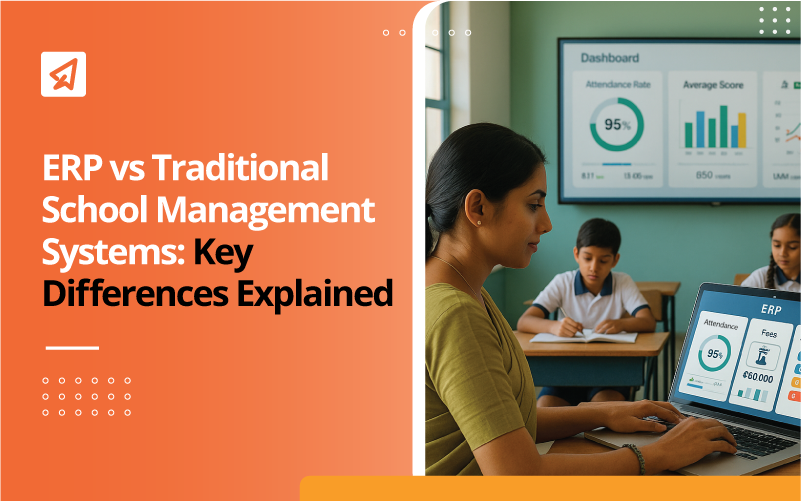
ERP vs Traditional School Management Systems: Why Indian Schools Are Upgrading
Managing a school today is no longer about just taking attendance, recording marks, or collecting fees. With larger classrooms, multi-section batches, rising expectations from parents, and the growing push for NEP 2020-aligned digital transformation, Indian schools need systems that are fast, reliable, and integrated.
Yet, many schools still rely on traditional school management systems that often churn out duplicated data, are more prone to manual errors, and generate additional administrative workload for teachers. This is where a modern ERP for schools stands out. It unifies all operations, from attendance to assessments to communication, into one connected system.
In this article, we’ll break down ERP and traditional school management systems, explain the differences in simple terms, and show why upgrading has become essential for schools in 2025.
Key Takeaways
- Traditional school management systems work in isolated silos, while an ERP system for schools integrates everything into one platform.
- ERP systems simplify daily administration through automation, real-time analytics, role-based access features, and cloud security.
- Schools should upgrade when data errors, manual work, and disconnected tools begin to affect efficiency.
- A phased migration, starting with attendance or fees, helps schools transition smoothly.
- Platforms like Extramarks offer AI-powered ERP tools designed for NEP 2020-aligned, future-ready school operations.
What is a Traditional School Management System?
Traditional school management systems are built as separate modules or point tools. This means you use one app or spreadsheet for attendance, another for fees, a different tool for exams, and maybe email or messaging apps to talk to parents. Because these pieces do not share a database, your day-to-day work becomes a patchwork of copying, reconciling, and repeating tasks.
Common problems you actually face with traditional systems:
- Duplicated Data Entry: A teacher marks attendance in one place, and the admin re-enters data into a grading or reporting sheet, increasing manual errors.
- Slow Report Generation: To get a term report, staff export multiple files, merge them in spreadsheets, and spend hours cleaning data.
- Fragmented Parent Communication: Messages about fees, homework, and events live in different places, so parents get half-baked information.
- Poor Audit Trails & Compliance: Local backups and scattered records make audits or regulatory reporting time-consuming.
- Limited Access & Mobility: If records are on a local server or desktop, you cannot retrieve them securely from home or on the move.
What is ERP for Schools?
A modern ERP system for schools replaces the patchwork with one unified system and a single database. The platform connects attendance, fees, timetables, assessments, parent portals, and analytics, so data flows once and is then available everywhere.
How an ERP changes daily life:
- Enter Once, Use Everywhere: Mark attendance and a student’s profile, fee status, and analytics update automatically.
- Instant Reports: Want a list of low-attendance students or fee defaulters? Run the dashboard and act within minutes.
- Unified Parent Experience: Parents receive consolidated updates, report cards, and fee receipts from one portal.
- Stronger Security & Backup: Cloud-based ERP for schools stores data securely with backups and role-based access.
- Easy Scaling: Add new classes or branches without separate software purchases.
- Automated Workflows: Fee reminders, timetable clashes, and report generation can be scheduled and automated.
This structural shift, from isolated modules to a unified database, is the biggest difference between ERP and traditional systems.
ERP vs Traditional School Management Systems Explained
| Feature/Aspect | Traditional System | ERP System |
|---|---|---|
| Data Management | Stored in separate modules | Unified, centralised database |
| Automation | Limited, manual processes | High automation across administrative tasks |
| Integration | Disconnected tools | All-in-one integrated platform |
| Real-Time Insights | Reports generated manually | Instant dashboards and analytics |
| Scalability | Hard to expand | Easily scalable with a modular design |
| Stakeholder Access | Separate interfaces or none | Unified access for teachers, parents, and admins |
| Security & Backup | Local storage, higher risk | Cloud-based, encrypted, and backed up |
| Maintenance | High manual upkeep | Low, managed by the provider |
-
Data Management
Traditional school systems store information in separate modules. Attendance lives in one tool, exam results in another, and fee records somewhere else. Because nothing is connected, teachers and admins spend hours merging spreadsheets and verifying mismatches.
A modern ERP for schools uses a centralised database, meaning data flows seamlessly across departments, improving accuracy and compliance.
For example:
- When a student’s admission details are updated, every module automatically reflects the change.
-
Automation
Traditional systems rely heavily on manual tasks. Teachers enter attendance, admins create reports by hand, and fee reminders are sent manually. This increases the workload and the risk of human error.
An ERP automates most routine tasks, such as:
- Auto-generated fee reminders
- Automated attendance syncing
- Auto-created report cards
- Auto-generated timetables
- Auto-updated parent notifications
This level of automation drastically reduces administrative fatigue and supports NEP 2020’s vision of teacher productivity.
Read More About NEP 2020
-
Integration
Traditional systems work like individual islands. A fee tool cannot talk to an attendance tool, so admins constantly reconcile data.
An ERP system integrates all school functions in one place, right from admissions and attendance to assessments and parent communication. By using a single login and a shared database, schools eliminate duplication, reduce overheads, and create a smoother experience for teachers, admins, and parents.
-
Real-Time Insights
With traditional systems, administrators wait days to gather data. Everything involves exporting files, combining sheets, and manually generating insights.
Cloud-based ERP systems for schools, on the other hand, offer live dashboards, showing:
- Daily attendance patterns
- Fee collection status
- Students at academic risk
- Teacher workload insights
- Transport routes
- Exam performance trends
This is why upgrading to an ERP system is crucial for schools seeking data-driven decision-making.
-
Scalability
Traditional systems often start breaking as a school grows. More student data may slow systems, adding new branches may require new installations, and you might need to make separate purchases for new learning modules.
On the contrary, cloud-based ERP systems grow with you:
- Add new grades, sections, or even branches instantly
- No local server upgrades
- No new installations
- No heavy maintenance
This matters especially for schools planning expansion or multi-branch models.
-
Stakeholder Access
Traditional tools often have separate portals or no direct parent-teacher access at all. This leads to communication gaps, limited visibility, and overdependence on the admin staff.
ERP systems in schools provide role-based, unified access. This means that:
- Teachers can see their classes, tasks, and assessments.
- Parents can track progress, attendance, homework, and fees.
- Administrators can get complete school-wide visibility.
-
Security & Backup
Traditional systems store data on local machines or offline servers, making them vulnerable to:
- Power failures
- Hardware crashes
- Virus attacks
- Poor backup hygiene
A cloud-based ERP system for schools provides encrypted storage, automatic backups, high uptime, and multi-location accessibility. This not only protects sensitive records but also ensures seamless school operations in emergencies.
-
Maintenance
Traditional tools require manual updates, local installations, and frequent IT intervention. ERPs remove this burden completely.
All updates, patches, and backups are handled by the provider. Schools simply log in and work with no technical overhead required.
Explore Extramarks’ AI-powered school management system for unified dashboards, automated workflows, real-time insights, and role-based access.
Get Started Today!
Why Schools Need to Upgrade to ERP
Every school eventually reaches a point where its existing systems begin to slow things down, directly affecting teacher productivity, administrative accuracy, and overall learning outcomes.
-
Too Many Disconnected Tools
When attendance is recorded in one place, fees in another, exam scores in a separate spreadsheet, and parent communication happens elsewhere, teachers and administrators spend hours juggling systems. This often leads to:
- Confusion between departments
- Missing or duplicated data
- Delayed decisions
How ERP Systems Can Solve It: An ERP for schools solves this by bringing everything into one integrated platform. Data flows automatically across modules, so the information a teacher updates becomes instantly available to administrators and parents.
-
Frequent Data Errors
Traditional systems rely heavily on manual data entry. The more people enter the same information across tools, the higher the risk of mistakes.
How ERP Systems Can Solve It: School ERP systems remove this dependency by centralising data. You enter information once, be it attendance, marks, fees, or profile details, and it updates everywhere.
-
Manual Reporting
Schools relying on traditional tools often compile reports manually at the end of the week, month, or term. This means administrators only receive insights after problems have already grown.
How ERP Systems Can Solve It: ERP platforms allow you to see:
- Live attendance dashboards
- Real-time fee collection status
- Students at academic risk
- Ongoing performance trends
This makes decision-making proactive, not reactive.
-
Hard to Manage Growing Operations
As student numbers rise or new branches open, traditional systems struggle with scaling. They require more installations, more maintenance, and more manual oversight.
How ERP Systems Can Solve It: A cloud-based ERP system for schools scales effortlessly. You can add sections, classes, teachers, or even new branches without needing new hardware or multiple software licences.
How to Adapt to a New School ERP System
Shifting from traditional systems to ERP doesn’t need to be overwhelming. With a phased approach, schools can transition smoothly, without disrupting daily operations.
-
Start With One Module
Begin with the area that causes the most friction, usually attendance, fees, or parent communication. This creates quick wins and builds staff confidence.
-
Run a Pilot
A controlled pilot helps you:
- Identify process gaps
- Train staff at a manageable scale
- Adjust workflows before a full rollout
This reduces resistance and makes change easier for teachers.
-
Gradually Expand
Once the school becomes comfortable with one module, add more modules like timetables, assessments, HR and payroll, and parent portals. Schools can expand at their own pace based on need and readiness.
Considerations & Risks of Upgrading to a New ERP System
Upgrading to an ERP is a strategic transformation. Schools should understand the risks before committing.
- Staff Training: Teachers and admins will need time to learn the new system. Proper training ensures smoother adoption and prevents confusion.
- Managing Change Smoothly: Resistance can occur when staff feel overwhelmed or uncertain. Clear communication, small pilots, and ongoing support make the shift easier.
- Upfront Costs: Compared to traditional tools, ERP implementation may require an initial investment. However, schools should view this as a long-term digital infrastructure upgrade and not a short-term expense.
- Choosing a Reliable Vendor: Schools must evaluate terms like data security, local relevance, customisation options, integration support, and customer service quality to ensure reliable onboarding, smooth migration, and scalable modules.
Book a Demo Today!
Conclusion
The debate around ERP and traditional school management systems is no longer about preference. It’s about readiness. As schools aim for NEP 2020-aligned classrooms, data-driven decisions, and seamless operations, an ERP system becomes the assistant you would want alongside you on the journey.
Related Read: School ERP vs LMS
Reviewed by

Priya Kapoor | AVP - Academics
Priya Kapoor is an accomplished education professional with over 18 years of experience across diverse fields, including eLearning, digital and print publishing, instructional design, and content strategy. As the AVP – Academics at Extramarks, she leads academic teams in creating tailored educational solutions, ensuring alignment with varied curricula across national and international platforms...read more.

Published on December 5, 2025