
How to Set Up a Digital Classroom: A Practical Guide for School Principals
What Does a Digital Classroom Setup Include and How Should Schools Implement It?
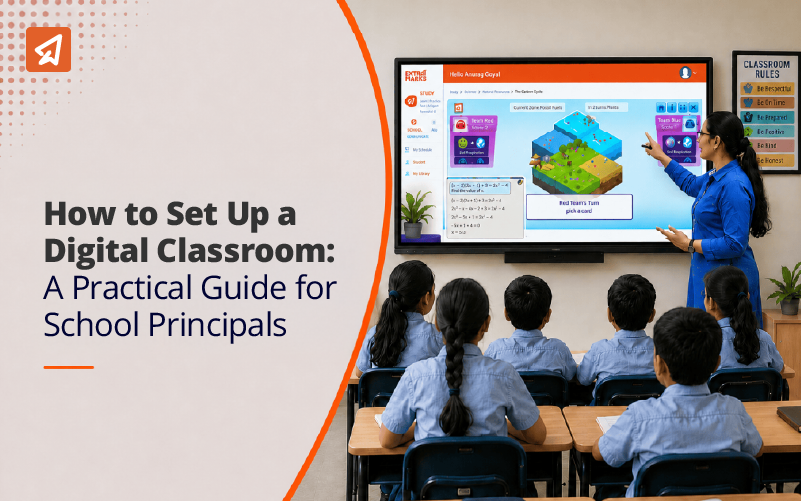
A digital classroom setup integrates interactive hardware, teaching software and reliable connectivity to create a technology-driven learning environment. Core components include a 4K Interactive Flat Panel with multi-point touch, computers or OPS modules, audio-visual equipment and a Learning Management System for content delivery and student tracking. Effective setups improve student engagement through multimedia content and give teachers real-time performance data.
In 2023-24, only 34.6% of private schools and 21.2% of government schools had functional smart classrooms. By 2024-25, schools with computer access rose to 64.7%. Progress is real, but the gap between owning a screen and running a functional digital classroom is where most schools lose their investment. Hardware procurement is straightforward. Getting teachers to use it daily, connecting it to an LMS and generating student performance data from it. That is where digital classroom setup delivers or stalls.
Key Takeaways
- Only 34.6% of private schools had functional smart classrooms as of 2023-24.
- A digital classroom and a smart classroom are different. Hardware alone does not make a classroom smart
- Interactive Flat Panels, LMS, audio-visual equipment and reliable networking are the four non-negotiable components
- Teacher training determines whether digital classroom investment delivers results
- Internet access in Indian schools grew from 22.3% in 2019-20 to 53.9% in 2023-24
- AI-enabled smart classrooms add personalisation and real-time insights on top of the digital classroom foundation
- Connectivity and teacher competency gaps need fixing before hardware procurement begins
What Is a Digital Classroom Setup?
A digital classroom setup is hardware, software and connectivity working as one system inside a traditional classroom. Hardware brings the screen and the sound. Software connects content to student performance. Connectivity keeps it running through every period of the day.
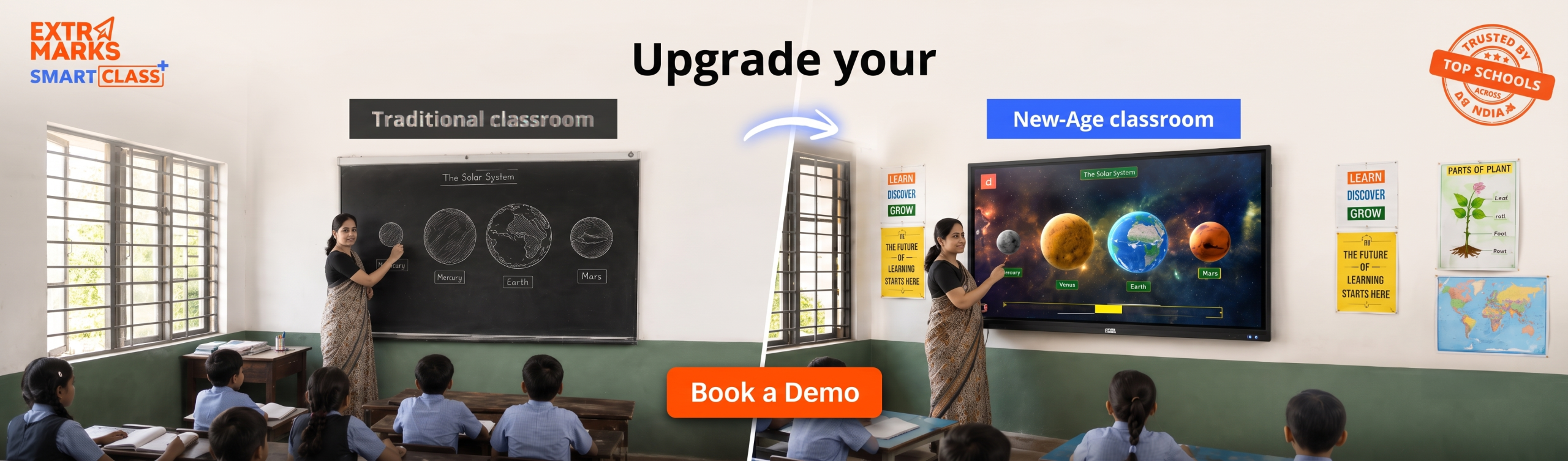
A setup where all three work together delivers results. A setup where even one is missing delivers a very expensive piece of furniture.
What Are the Core Components of a Digital Classroom?
Every component in a digital classroom setup has a dependency. The IFP depends on good audio, good audio depends on room acoustics, everything depends on connectivity.
Here are the components:
1. Interactive Flat Panels
The IFP is the centrepiece of any digital classroom. Modern panels offer 4K resolution, 20 to 40-point touch sensitivity and run on Android or Windows operating systems.
Choosing the right smart classroom equipment starts with the IFP. Panel size, OS compatibility, touch responsiveness and content ecosystem compatibility all affect daily usability. A panel teachers find slow or difficult to navigate becomes an expensive projector.
2. Computing Power
IFPs pair with built-in OPS modules, dedicated classroom computers, or teacher laptops. Schools running hybrid sessions need webcam-integrated setups that handle simultaneous in-person and remote participation without requiring technical support in the room each time.
3. Audio and Visual Equipment
Schools consistently underinvest in audio. Poor classroom audio is a primary driver of student disengagement. Students who cannot hear clearly disengage faster than students with no technology at all. Front-facing speakers, dedicated microphones and HD webcams deserve budget equal to display hardware.

4. Networking and Connectivity
Over 46% of schools still lack reliable internet. Wi-Fi 6 routers or Cat 6/7 cabling provide the stable connectivity a functional digital classroom depends on. Connectivity gaps need fixing before screens go on walls.
Offline access for schools with low connectivity removes the internet dependency entirely for core lesson delivery through content pre-loaded on the IFP or a local server.
What Software Does a Digital Classroom Require?
Hardware without the right software is a display unit. The software layer is what converts a screen into a teaching system. Here is a list of the software requirements:
1. Learning Management Systems
An LMS manages content delivery, tracks student progress, handles assignments and generates performance data teachers can act on. Digital classrooms and LMS work best when set up together from day one. Retrofitting an LMS onto existing hardware creates data silos and workflow gaps that take months to untangle.
For NEP 2020-aligned schools, the LMS must also support competency-based assessment tracking and formative evaluation reporting.
2. Interactive Teaching Software
Screen sharing tools, digital whiteboarding software and multimedia integration platforms shift teaching from static delivery to participatory sessions. The measure of good teaching software is how quickly a teacher uses it without looking for help. Complexity that requires repeated training defeats the purpose.
3. Engagement and Assessment Tools
Real-time quiz applications give teachers class-wide performance data immediately rather than waiting for marked papers. This closes the feedback loop between teaching and understanding.
Suggested Read: Implement Competency-Based Assessment in Your Classroom
What Is the Difference Between a Digital Classroom and a Smart Classroom?
A digital classroom delivers content through technology. Teachers control what gets taught and how. Data exists but requires teacher effort to interpret.
A smart classroom adds AI and analytics. The system analyses individual student data, identifies gaps automatically and recommends next steps for each student.
Over 15,000+ schools in India now use AI-powered adaptive learning platforms for personalised education. That number will grow as NEP 2020 implementation advances and schools move past basic digital infrastructure.
AI for smart teaching and learning through Extra Intelligence gives teachers real-time dashboards showing where each student stands and which concepts need reinforcement. The IFP delivers content. The AI tells teachers what to do next.
What Are the Benefits of a Digital Classroom Setup?
The case for digital classrooms is no longer theoretical. Research across engagement, comprehension and teacher efficiency now shows consistent, measurable gains. Here are the benefits:
1. Higher Student Engagement
Hybrid learning models show an increase in student engagement compared to traditional instruction. Interactive lessons, multimedia content and real-time participation tools shift students from passive listeners to active participants. That change shows up in both attention and retention data.
2. Future-Ready Skill Development
Digital classrooms build technical proficiency, critical thinking and collaborative skills alongside subject knowledge. These are the competencies NEP 2020 mandates. Schools that delay digital integration delay this skill development for every cohort that passes through.
3. Teacher Efficiency
Automation handles attendance tracking, assignment distribution and basic assessment scoring. Real-time LMS data tells teachers where to focus in the next lesson rather than waiting for test results weeks later.
4. Improved Learning Outcomes
AI-adaptive learning shows a 37% improvement in comprehension for students on personalised pathways compared to uniform instruction delivery. The classroom setup creates the infrastructure. The software turns it into measurable outcomes.
Where Do Most Digital Classroom Setups Fail?
The schools that struggle most with digital classrooms are the ones that treated setup as a procurement exercise and implementation as an afterthought.
Some of the most common issues in India are lack of training and infrastructure. Schools procure IFPs, hold a one-day session and find six months later that teachers use the panel as a projector and the LMS sits untouched.
Three patterns cause most underperformance:
- Procurement before readiness assessment: Buying hardware before auditing connectivity and teacher digital literacy guarantees a gap between what the setup can do and what it does
- One-time training: A single workshop does not build teaching habits; teachers need repeated contextual training across the first full academic year
- No usage tracking: Schools that do not monitor LMS login rates, IFP usage frequency and assessment completion cannot identify where the setup underperforms
How Should Schools Implement a Digital Classroom Setup?
Schools that follow the right order consistently outperform schools that jump straight to purchasing. The steps are as follows:
Step 1: Readiness Assessment
Audit current infrastructure, identify connectivity gaps, assess existing hardware and honestly evaluate teacher digital literacy before procurement. Schools that skip this step consistently buy hardware their environment cannot support.
Step 2: Define Pedagogical Goals
Hardware should follow pedagogy. A school focused on NEP 2020 compliance needs different software priorities than one focused on hybrid delivery. Setting goals before selecting tools prevents misaligned procurement.
Step 3: Procurement
Select IFPs, computing hardware, audio-visual equipment and networking infrastructure based on assessed needs. Evaluate LMS and teaching software simultaneously. Hardware and software must be compatible from day one.
Step 4: Teacher Training
85% of teachers favour digital tools as a better learning solution for classrooms. The appetite exists. The training infrastructure to support consistent use is where schools need sustained investment. Training must continue well beyond the initial setup session.
Schools planning to upgrade smart classrooms should build teacher development into the upgrade timeline from the start.
Step 5: Monitor and Iterate
Track LMS login rates, IFP usage, student assessment completion and learning outcomes. Adjust content strategies and training programmes based on what the data shows. Implementation is a continuous process, not a project with a finish date.
What Does a Digital Board for Teaching Do?
A digital board for teaching replaces the blackboard with an interactive surface connected to the school’s LMS and content library. Teachers annotate on screen, pull up videos mid-lesson, run live polls and push content to student devices without breaking lesson flow.
The digital board’s usability, OS intuitiveness and software integration quality determines how much value the rest of the setup delivers in practice.
How Extramarks Supports Digital Classroom Setup
Extramarks solves the full stack – content, AI, LMS integration and teacher training. So the setup delivers infrastructure and outcomes.
Smart Class Plus
- Smart Class Plus delivers NEP 2020-aligned curriculum content in IFP-compatible interactive formats across K-12
- Teachers deliver, assess and track student performance from one platform
- Content covers all subjects with multimedia, animations and concept-level explanations
AI for Smart Teaching and Learning
- Extra Intelligence adds AI for smart teaching and learning on top of digital classroom infrastructure
- Real-time dashboards give teachers actionable data after every session
- Personalised learning pathways adapt to each student’s level within the same classroom
LMS and Digital Classroom Integration
- Content delivery, formative assessment and progress tracking connect in one system
- Teachers assign content, monitor completion and access performance data from one dashboard
Teacher Training and Onboarding
- Structured training covering IFP use, LMS navigation and digital content delivery
- Ongoing support built into the programme across the full academic year
- Training aligned with NEP 2020 pedagogy for competency-based and experiential learning
Your Classrooms Are Falling Behind
One screen does not make a smart classroom. Extramarks gives you the content, AI tools and teacher training to build classrooms that deliver results.
Frequently Asked Questions
1. What is a digital classroom setup?
A digital classroom setup integrates interactive hardware, teaching software and reliable connectivity into a traditional classroom. Core components include an Interactive Flat Panel, LMS, audio-visual equipment and stable networking infrastructure.
2. What is the difference between a digital classroom and a smart classroom?
A digital classroom delivers content through technology. A smart classroom adds AI and analytics to personalise learning, track competencies automatically and surface predictive insights on student performance.
3. How many Indian schools have digital classrooms?
By 2023-24, 34.6% of private schools and 21.2% of government schools had functional smart classrooms. Schools with computer access reached 64.7% by 2024-25. But computer access and a functional digital classroom setup are different benchmarks.
4. Why is teacher training the most important factor?
Hardware and software deliver no value without consistent daily use. Training must cover tool operation, LMS navigation, data interpretation and content integration. Must continue beyond the initial session.
5. How does a digital classroom support NEP 2020?
Digital classrooms enable competency-based assessment, experiential learning, personalised content delivery and real-time progress tracking. All are central to NEP 2020’s technology integration requirements.

Last Updated on June 16, 2026